We're one of the tools on this list, so weigh that as you read. "AI product photography" actually covers two different jobs that get lumped together in most searches: general product-shot editing that works across any category, and fashion-specific on-model rendering that only makes sense for apparel. If you sell a mix of product types, that distinction decides which tool actually fits, more than price or brand name does. Here's the honest breakdown.
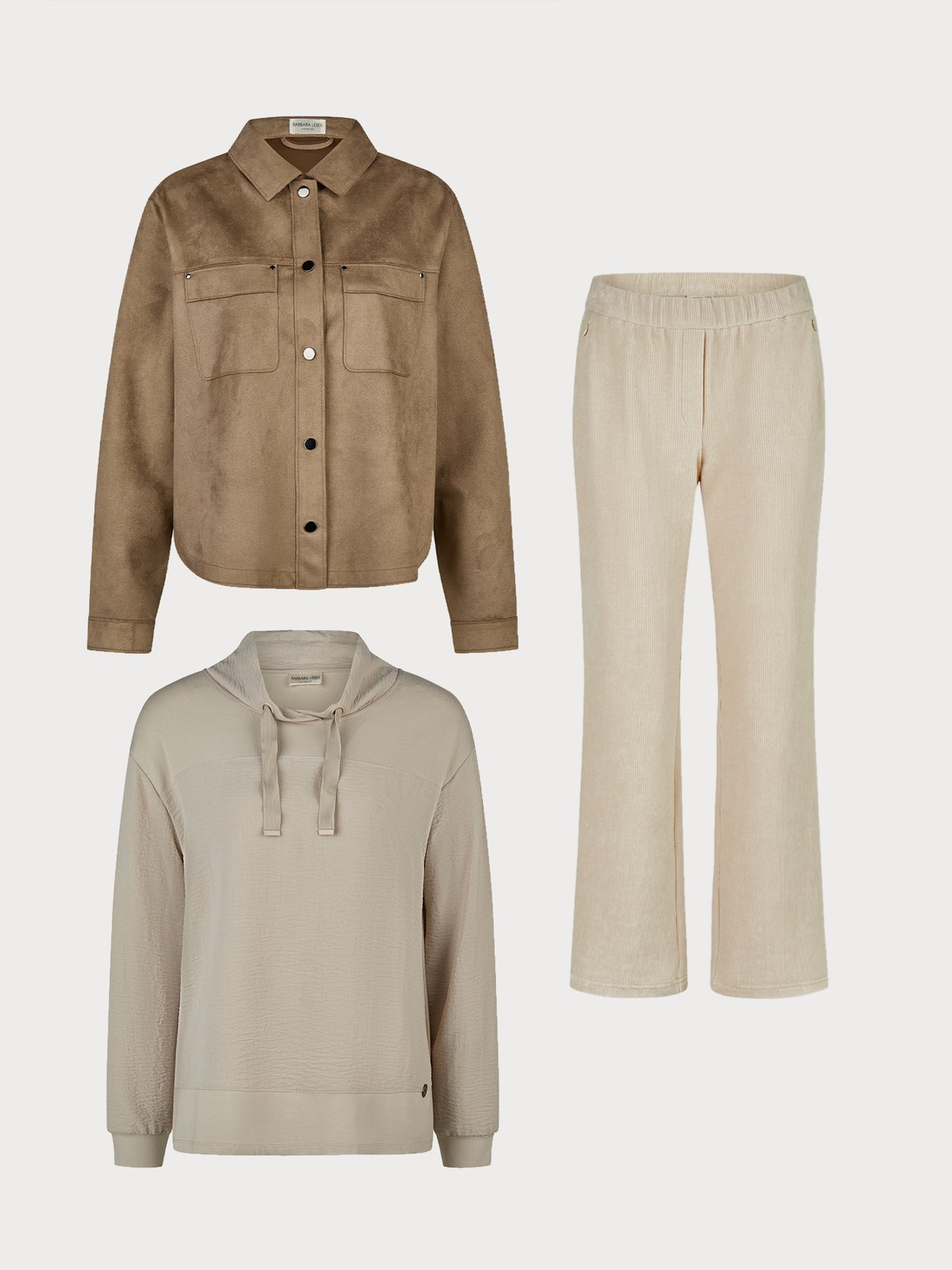
Before — flatlay upload
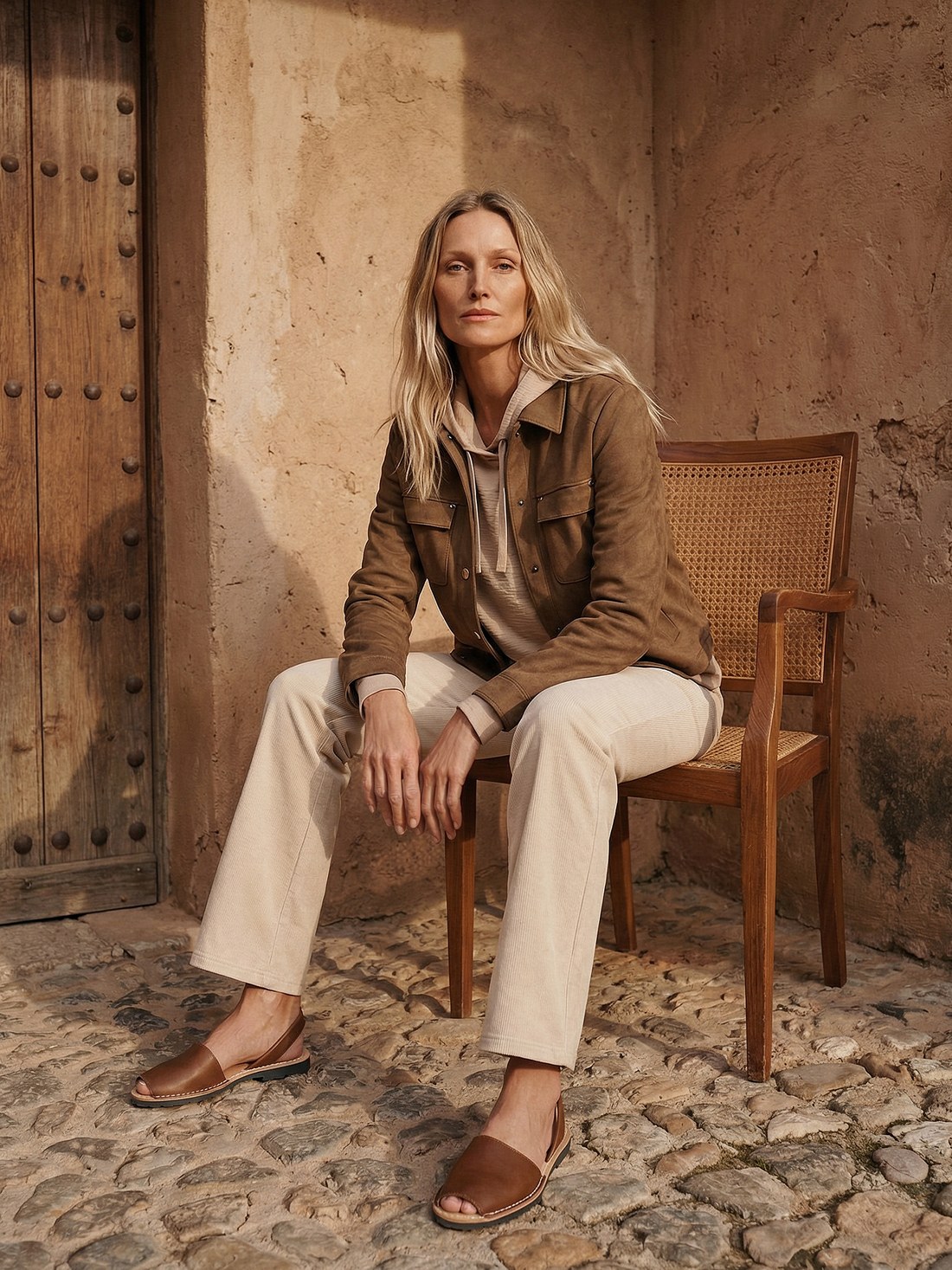
After — NotShot render
These work across almost any product category, not just apparel, and usually bundle several editing jobs into one tool rather than specializing in one.
A mass-market AI photo editor, background removal, relighting, batch editing, and a Virtual Model feature for apparel, all in one workspace. Zara, H&M, and Balmain are named users in their own marketing. Subscription tiers with a free trial, commercial-use rights gated to paid plans. Fits a brand that wants one tool for everything from a plain product shot to an occasional on-model image, rather than a fashion-only platform. We put together a deeper Photoroom comparison if that's the shape you're evaluating.
Background removal, image enhancement, and on-model generation together, with fashion as one use case among several rather than the whole product. A real $3M seed round funds a wider feature set than a single-purpose tool usually has. Reasonable pick if your catalog spans multiple product types and you want editing and generation under one roof. Full breakdown in our NotShot vs Claid comparison.
A generalist AI image and video generator built Shopify-first, with a stock-avatar library and per-download pricing above the plan quota. Fashion is one surface alongside general product shots, social content, and short-form video, useful if the same tool needs to produce more than catalog stills.
These only make sense if what you're shooting is apparel worn by a person, but within that category they go deeper than a general editor does.
Catalog photography for fashion, specifically. Every render is scored by an AI judge before it ships, and anything under the quality bar auto-refunds the credit instead of billing it, with per-category recipes for garment types from jackets to swimwear and intimates. Pay-per-action credits, 50 free at signup. The honest limitation: it's built for fashion catalog and pre-sample visualization, not for general product categories like electronics or home goods, and there's no stock-model library, you supply the model photo.
Fashion photography and virtual try-on with CSV-batch processing up to 10,000 items per run, aimed at agencies and mid-market brands running large SKU drops. Hybrid pricing, pay-as-you-go credits or subscriptions from roughly $57 to $297 a month, with 4K reached through Enhance and Upscale add-ons rather than as the default output.
Turns a flat product photo into an on-model apparel image with a simple control set, on monthly subscription tiers with an included image quota. An established, visible presence in the Shopify App Store specifically, and a workflow that fits high-turnover fast-fashion drops.
| Tool | Scope | Pricing shape | Best for |
|---|---|---|---|
| Photoroom | Any product category | Subscription, free trial | Mixed catalogs wanting one editor for everything |
| Claid | Any product category, on-model as one feature | Subscription from ~$9/mo | Teams wanting editing and generation together |
| CreatorKit | General image/video, fashion as one surface | Tiered plan + per-download | Shopify brands wanting stills and social video in one tool |
| NotShot | Fashion apparel, on-model only | Pay-per-action credits | Catalogs needing quality control and model consistency |
| Uwear.ai | Fashion apparel, on-model only | PAYG or subscription | Agencies running large CSV-batch SKU drops |
| Botika | Fashion apparel, on-model only | Subscription tiers | High-volume fast-fashion drops |
If apparel is one category among many in your catalog, a general-purpose editor covers more ground with one subscription. If apparel is the catalog, a fashion-specific tool goes deeper on the parts a general editor treats as one feature among many, per-garment quality control, batch scale, or keeping a model's identity consistent across the whole range. Neither shape is universally right, it depends on what's actually in your product feed.